Short on time?
Pick an AI to summarise this article:
Pick an AI to summarise this article:



Field sales managers rarely lack data. What they lack is data that arrives at the right time, in a format they can act on, with enough consistency to trust.
Reports come in at the end of the week, or get cobbled together from rep check-ins and spreadsheet updates. By the time a problem is visible, it's already cost several days of field activity.
The managers I speak with describe this as flying blind. They suspect something is off. Maybe a territory is underperforming, a rep is struggling, or a follow-up pattern is breaking down. But the data to confirm it arrives too late to do anything useful.
A well-designed field sales dashboard changes that dynamic. It gives managers a live view of what's happening across the operation, so decisions are made with current information rather than end-of-week summaries.
This guide covers what belongs in a field sales dashboard, what good reporting looks like day-to-day, and how to build a setup that actually gets used.
Inside sales teams generate data automatically. Every call, email, and demo is logged in the CRM as it happens. Field sales teams generate data manually, on the move, in areas with patchy signal, between conversations at the door. That difference is structural, and it's the root cause of most field sales reporting problems.
Three patterns come up repeatedly when reporting breaks down.
Data collected inconsistently. Different reps log different things. One logs every interaction at the door. Another logs outcomes from memory at the end of the day. The dataset looks complete on the surface, but the underlying quality varies so much that territory comparisons become unreliable and coaching decisions get made on shaky ground.
Reports arrive too late to act on. When a manager sees performance data on Friday, the decisions it should have informed already happened on Tuesday. Delayed reporting doesn't just slow things down. It means problems compound before anyone can address them.
Activity and outcomes get conflated. Doors knocked tells you how busy the team was. It says nothing about what worked. Without outcome data tied to specific territories, reps, and time windows, managers end up measuring effort rather than effectiveness.
"Teams often measure success by how busy reps look, like doors knocked or hours worked. The shift is realizing that structured activity plus good data drives results. Not just volume." Aoife Murphy, Customer Success Manager at Ecanvasser
A field sales dashboard solves this, but only if it's built around consistent data capture at the door, not just activity tracking after the fact.
Before getting into setup, it's worth establishing a framework that most teams skip, and end up paying for later. A field sales operation has two distinct dashboard needs, and trying to serve both with a single view produces something that works well for neither audience.
This gives individual reps visibility into their own territory, daily progress, and outstanding follow-ups. The goal is self-management. A rep who can see where they stand doesn't need a manager to tell them. Metrics here are personal and operational: doors knocked today, outcomes logged, follow-ups due, coverage remaining in their assigned area.
When reps have this visibility, accountability becomes part of the workflow rather than something enforced from above.
This gives team leads and managers a view across the whole operation, including coverage by territory, performance by rep, outcome trends over time. The goal is to surface where coaching is needed, where territories require adjustment, and where results are building or declining before those patterns become problems.
The mistake most teams make is building one dashboard and expecting it to serve both audiences. The result is a cluttered view that's simultaneously too detailed for strategic decisions and not granular enough for a rep managing their day.
For a full breakdown of which metrics to track and why, see our guide to field sales analytics and KPIs.
This is where a lot of teams get stuck. There's no shortage of data in a field sales operation. The challenge is deciding what actually belongs on the dashboard and what creates noise. The answer comes back to the two-audience framework: what does a rep need to manage their day, and what does a manager need to run the operation? Everything else can live in a report rather than a live dashboard.
With that filter applied, a field sales dashboard should surface four categories of data:
The dashboard's job is to make these visible at the right time, to the right person, without requiring anyone to manually compile them. A rep shouldn't have to ask a manager how their coverage looks. A manager shouldn't have to chase reps for outcome data before they can see how a territory is performing.
For a full breakdown of what each metric reveals and how to use it operationally, see our guide to field sales KPIs.
The best way to understand what a field sales dashboard should do is to follow a manager through their day. Here's what that looks like when the reporting setup is working well.
Before reps leave for the field, a manager with a live dashboard can see which territories are scheduled for coverage, which leads need follow-up from yesterday, and whether any gaps from the previous shift still need addressing. Route assignments are generated directly from the contact list. Reps aren't building their own routes in a car park at 8:30am based on memory or a printed sheet.
This is where good reporting creates field sales ROI before a single door has been knocked. Reps start the day prepared and pointed at the right addresses, not figuring it out as they go.
Real-time field tracking shows which reps are active, where they are relative to their assigned territory, and how outcomes are being logged as the day progresses. A manager can see coverage building in real time and spot problems, like a rep who's gone quiet, a territory falling behind schedule, or an area generating unexpectedly low contact rates. Best of all, they can find these issues while there's still time to do something about them.
This is the operational difference between a live dashboard and an end-of-week report. One gives you time to act. The other gives you a record of what you missed.
Rather than a lengthy debrief, the end-of-day review takes five minutes. Outcome data is already in the system. It’s logged at the door throughout the shift, not reconstructed from memory at 6pm. The manager reviews conversion trends, flags any territories that underperformed, and updates tomorrow's priorities based on what the data actually showed rather than what the team thinks happened.
A weekly summary shows rep performance rankings, territory coverage rates, and outcome trends across the last seven days. Coaching conversations become specific rather than vague. The manager knows which rep is struggling in a particular zone, what their contact rate looks like compared to the team average, and where the pattern started, which makes the coaching conversation far more useful for both sides.
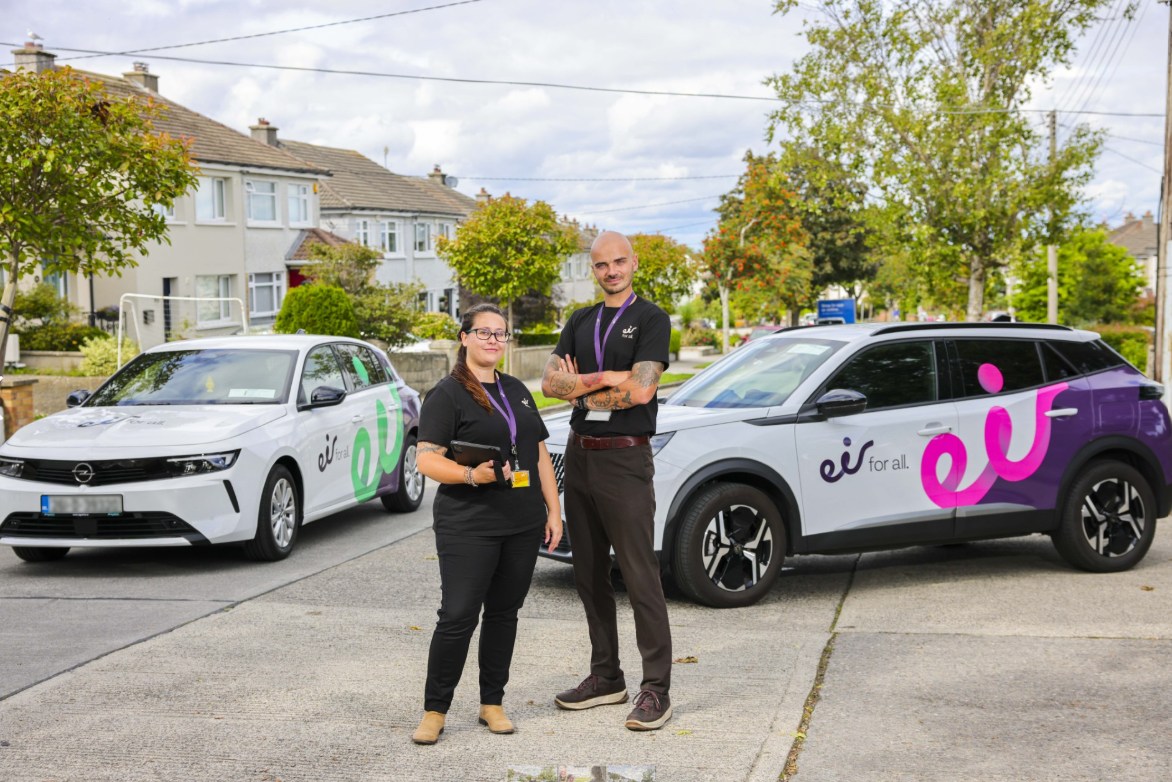
eir, Ireland's largest telecoms provider, is a good illustration of what changes when this kind of reporting is in place. Before adopting Ecanvasser, their 500+ rep field team was managed on Excel, with no real-time visibility and performance data arriving at the end of the week. Managers were reacting to problems that had already compounded. After moving to a centralised dashboard with live field tracking, they could see progress every day and adjust territory priorities in real time. The shift from weekly guesswork to daily optimisation changed how the whole operation was run.
"The biggest shift I see when teams implement proper dashboards is speed. Managers can see activity in real time, who's active, coverage, outcomes, and follow-up actions are immediately actionable. They go from guessing and reacting to seeing and optimising in real time." Aoife Murphy, Customer Success Manager, Ecanvasser
That speed compounds over time. Problems get caught earlier. Territories get adjusted before they're exhausted. Reps get coaching while the pattern is still fresh rather than a week after it happened.
Most dashboard problems come down to the same handful of issues. The technology is rarely the problem. It's how the dashboard gets designed and maintained over time. These are the five mistakes that come up most consistently.
Getting these five things right won't guarantee a great dashboard, but getting any of them wrong will reliably produce one that gets ignored.
Setting up a field sales dashboard well takes more than picking a tool and adding widgets. The configuration decisions you make upfront determine whether the dashboard becomes something the team relies on or something they work around. Here's how to approach it.
Start with the questions you need to answer daily, weekly, and monthly—not with the metrics that are available to track. Which territories are underperforming? Which reps need coaching support? Where should coverage be redeployed tomorrow? Build the dashboard backward from those questions. If a metric doesn't help answer one of them, it probably doesn't belong in the live view.
A dashboard is only as good as the data feeding it. Before configuring views, make sure reps are logging outcomes consistently at the door. That means clear fields, consistent options, and minimal free text. If the input is inconsistent, the output will be too, regardless of how well the dashboard is built.
"I work with customers to simplify what's captured at the door. Clear fields, consistent options, minimal free text. The moment data becomes consistent, it becomes valuable." Aoife Murphy, Customer Success Manager, Ecanvasser
Two audiences, two views. Keep them focused and role-appropriate.
Rep view should include:
Manager view should include:
A rep doesn't need visibility into team-wide rankings during their shift. A manager reviewing performance doesn't need a granular view of an individual rep's route unless they're actively coaching that rep. Mixing these creates clutter that reduces how much the audience trusts the dashboard.
A dashboard that requires a manual export from a spreadsheet adds steps without adding value. The operational benefit of a field sales dashboard comes from real-time data such as rep location, door-logged outcomes, and coverage progress that updates throughout the day. When the data is live, decisions can be too.
Set aside time each quarter to review whether the dashboard is still surfacing the right information. If managers aren't regularly looking at certain metrics, remove them. If a recurring decision keeps getting made without supporting data, that's a signal to add a metric. A dashboard that hasn't been updated in six months is almost certainly optimized for a version of the operation that no longer exists.
Ecanvasser's dashboards and reporting feature lets managers build custom views with drag-and-drop widgets, set role-based access so reps see their own data and managers see the team, and export reports directly, all connected to live field activity rather than being manually compiled.
These two things are often conflated, and the confusion leads to teams trying to run field operations through a tool that wasn't designed for it.
A CRM dashboard tracks pipeline stages, deal values, and communication history. It's built for sales processes that unfold over days or weeks, with reps who have time to log activity carefully between interactions. A field sales performance dashboard tracks physical activity—doors knocked, territories covered, outcomes logged at specific addresses—built for work that happens in real time, on the move, often without connectivity.
Enterprise teams running large field operations typically need both. A CRM handles pipeline management and customer records. A field sales dashboard handles operational visibility. It shows what's happening in the field right now, not what got logged later. The best field sales solutions integrate cleanly with existing CRMs so data flows between them without manual reconciliation.
For a deeper look at how the two categories differ and when you need both, see our guide to outside sales software.
{{faq-1}}
{{faq-2}}
{{faq-3}}
{{faq-4}}
{{faq-5}}
A field sales dashboard turns daily activity into a feedback loop. Every shift produces data that informs the next one. Territory decisions get made with current information, coaching conversations are grounded in specific patterns, and performance stops being something you find out about at the end of the week.
The teams that get the most from their field operations treat visibility as a strategic asset, not an admin function. The data was always there. A well-built dashboard makes it usable.
Ecanvasser's dashboards are built around how field sales actually works. Real-time activity tracking, role-based views, and reporting that connects directly to territory and outcome data. Book a demo or start a free trial to see it in practice.
Keep it to five or six per view. The goal is to surface the metrics that drive decisions. Not every data point available. If a manager has to scan fifteen widgets to find what they need, the dashboard stops getting used. Start with the essentials, remove what doesn't get acted on, and add only when a new decision genuinely needs it.
Simplify what they're asked to capture. Clear dropdown fields, consistent outcome categories, and minimal free text make logging fast enough to do between doors. If logging takes more than a few taps, adoption drops. The best setup is one where reps can record an outcome before they've reached the next address.
They should have separate views. A rep needs to see their own territory coverage, today's outcomes, and outstanding follow-ups. A manager needs team-wide coverage, performance by rep, and territory trends. Mixing the two creates clutter that reduces how useful the dashboard is for either audience.
The best field sales platforms integrate directly with CRMs like Salesforce and HubSpot, syncing field activity data without manual reconciliation. Field outcomes logged at the door flow into the CRM automatically, keeping pipeline data current without asking reps to do double entry. If your current setup requires manual exports to keep the CRM updated, that's the first thing worth fixing.
Ecanvasser’s real-time tracking completely transformed our field operations. Through the dashboard, we can plan efficient routes, customize interactions, and monitor our canvas stops in real time to support our team the second they need help. The "verified drops" feature adds an extra layer of accountability, while the reporting tools make it seamless to track hourly visit rates and optimize performance on the fly.




Scale your operations, empower your reps, and deliver predictable, profitable growth with Ecanvasser.