Short on time?
Pick an AI to summarise this article:
Pick an AI to summarise this article:



Your reps aren't lazy. They're buried in admin that has nothing to do with selling. Retyping notes from the truck. Guessing which street they already knocked. Chasing a follow-up they scribbled down three days ago and half remember now. You've probably watched a rep spend twenty minutes reconstructing what happened at a door instead of walking to the next one.
That gap between effort and output is what field sales automation is supposed to close. Across sales roles generally, the average seller spends just 40% of their time selling.
For a door-to-door team, that other 60% usually goes to the same five places:
This guide covers what automating each of those five actually looks like. It also covers the one thing that has to be true before any of it works.
Most guides to field sales automation start from an assumption: your data is already clean. Your CRM fields are populated correctly, status updates are consistent, and reps enter notes the same way every time. For a desk-based sales team, that assumption is often true.
But for a door-to-door team still working from spreadsheets, paper lists, or a tool that was never built for structured capture, it usually doesn't. Automating a process on top of inconsistent data doesn't remove the mess. It just moves the mess faster.
Picture two reps on the same team logging the same conversation:
If you multiply the free text version across a fifteen-person team, a manager ends up piecing together intent from sentence fragments instead of running the operation from real data.
Ecanvasser's work with 15,000+ field teams across 70 countries has surfaced the same pattern repeatedly. Automation stalls not because the software is wrong, but because the data feeding it can't be trusted. A route can only be optimized around current addresses. A follow-up sequence can only trigger off a status that was logged consistently. A dashboard can only report what reps actually captured.
That's the order this guide follows. Before territory, routing, follow-up, or reporting can be automated well, the data captured at the door needs one thing. A small set of consistent fields, and almost no free text. Get that right first. The five pillars below then build on solid ground instead of a shortcut around a bigger problem.
Territory assignment is where most manual field operations start to break, and it's usually the first pillar worth automating. Get it right and the other four (routing, lead status, follow-up, reporting) inherit clean structure. Get it wrong, and every pillar downstream inherits the same overlap and confusion.
A list distributed by email on Monday morning works fine for five reps. But at fifteen, it starts to crack. Two reps work the same street without knowing it. A newer area goes untouched for weeks because nobody was explicitly assigned to it. Nobody notices the gap until a manager pulls a spreadsheet together on Friday. Three addresses show up logged twice. Forty were never worked at all.
Assumed territories, where reps informally cover "their" area out of habit, create exactly this kind of invisible overlap. It's one of the most common, and most avoidable, inefficiencies in field sales.
The problem only gets worse as headcount grows, not because reps get careless, but because an informal system has no mechanism for catching overlap. More people sharing an ad hoc process multiplies the coordination problem instead of spreading it out.
With automated assignment, a territory is drawn once, assigned to a rep or a team, and synced to the mobile app before the shift starts. The system enforces the boundary instead of relying on reps to self-coordinate, so two reps never end up working the same street on the same day. Time-bound access adds another layer: a rep only sees the list they're supposed to be working right now, not last month's leftover contacts mixed in with today's priorities.
When I roll out automated territory assignment with a new team, the change reps notice fastest isn't the map. It's that they stop wondering whether someone already knocked on a door. That confidence changes how a rep works a street, because they're not hedging against duplicated effort anymore.
"When assignments are time-bound and automatic, managers stop babysitting lists and start running the operation. That single change helps your team scale, instead of just adding headcount to the same chaos." Tom Hollingsworth, Sales, Ecanvasser
Ecanvasser's territory management feature works exactly this way: draw once, assign once, and let the system hold the boundary while your team scales.
Route optimization only works if the territory underneath it is already sound.
A perfectly optimized path through the wrong area is still wasted effort. Automate routing before territory is fixed, and reps just move faster through the same broken coverage.
Automating routing before territory assignment is fixed just makes reps move faster through poorly structured coverage. The route gets shorter. The coverage problem stays exactly the same.
This is why these two pillars sit in this order instead of as separate, unrelated features. A route generated from an unassigned or overlapping list inherits every gap already in that list.
Route optimization on its own gives you a short-lived bump in doors knocked. Within a month, the same overlap and missed street complaints come back, because the software never touched the actual coverage problem.
A rep no longer builds their own route in a parking lot at 8:30. The route is generated automatically from that day's assigned territory before the shift starts, sequenced for density and drive time. The rep opens the app and follows the order rather than guessing at which street to hit first.
Offline functionality matters specifically for D2D teams here. Reps working basements, rural stretches, and dead zones need a route that still works when the signal doesn't, then syncs automatically once connectivity returns.
"Struggling teams only understand performance after the fact, end of day or end of week. Scaling teams can see what's happening live: coverage, activity, and results." — Aoife Murphy, Customer Success Manager, Ecanvasser
That shift, from finding out what happened to watching it happen, is what route planning automation is actually for. For a deeper walkthrough of the mechanics, see our guide to sales route optimization.
This pillar is where the argument running through this guide becomes concrete. Everything downstream, from routing decisions to follow-up triggers and dashboard accuracy, depends on what gets logged the moment a rep finishes a conversation at the door. Get the fields wrong here, and every other automated pillar inherits the same noise.
A free text box invites a rep to write whatever feels natural in the moment. "Spoke to homeowner, maybe interested, check back later." That sentence means something different to every person who reads it. A system can't act on it at all.
A small set of consistent status options—contact made, interest level, and follow-up window—does the opposite.
A rep taps rather than types. The record means the same thing every time it's read, whether by a manager, a dashboard, or an automated follow-up sequence. The fields you decide on before rollout become the ceiling on what automation can do downstream. Loosen them later, and every report built on top gets harder to trust.
Once a status is logged at the door, it should move on its own. It flows into the CRM and onto the manager's dashboard. It also feeds any follow-up sequence tied to that outcome, without a rep doing separate data entry back at the office.
Disconnected systems are usually the reason this step gets skipped. 74% of sales professionals are focusing on data cleansing to get more value from AI and automation tools. High performers prioritize data hygiene at nearly 1.5 times the rate of underperformers: 79% versus 54%.
Two-way sync matters more than one-way sync here. A dashboard that only receives data creates a problem of its own. If it never reflects a manager's reassignment back to the rep's app, you end up with a second source of truth to reconcile. This is the point where a status update stops being admin and starts feeding the follow up and reporting pillars covered next. Our guide to field sales CRM covers how this compares to running a standalone CRM alongside a separate field tool.
A promising conversation at the door is worth nothing if nobody follows up on it, which makes automated follow-up scheduling the pillar most directly tied to revenue. A lost follow-up is a lost deal—not just a missed task—and it's usually the pillar you'll underinvest in relative to what it actually costs you.
The gap between a doorstep conversation and the next available moment to act on it is exactly where manual processes lose leads. A rep remembers to follow up with three out of five interested homeowners. The other two live in a notebook, a phone note, or nowhere at all.
That gap grows as a team scales, not shrinks. A rep working more doors per day has less spare capacity to manually track their own follow-up list on top of everything else. This is a revenue problem dressed up as an admin problem: every unlogged "maybe" is a deal that never gets a second conversation. Multiply that across fifteen reps, and the leads quietly disappearing every week add up to a number most managers would be uncomfortable seeing.
A status logged at the door, callback requested, not home, hot lead, should route the contact into the right follow-up list automatically. It's visible to the rep on their next shift without anyone re-entering it by hand. This only works because of the structured capture covered above: a free text note can't trigger a sequence, but a consistent status field can.
A regional home services provider scaling a brand new D2D program needed exactly this to survive multiple reps working overlapping streets in the same week. Once outcomes were logged and surfaced automatically instead of tracked by memory, the results followed. The team scaled to more than 20,000 homes canvassed in just over a month, with software costs staying flat as headcount grew. See the Triangle Home Services story for the full detail.
"Follow-up actions like hot leads and revisits become immediately actionable once they're captured at the door, instead of sitting in someone's inbox until the end of the week." — Aoife Murphy, Customer Success Manager, Ecanvasser
That's the difference between a follow-up system and a follow-up hope: one runs whether or not a rep remembers, the other doesn't. For a team rolling this out alongside new hires, see our guide to onboarding field sales reps. It covers how to build the habit in from day one.
Reporting is the output of the first four pillars working correctly, not a separate task bolted on at the end. When the upstream data is clean, reporting is close to automatic. When it isn't, reporting becomes a Friday scramble to reconstruct a week nobody tracked in real time.
A rep needs just enough visibility to manage their own day: today's route, today's follow-ups, today's targets. A manager needs a different view entirely: coverage, activity, and outcomes across the whole team, filterable by rep, territory, or date range.
Building one dashboard that tries to serve both audiences usually ends up serving neither well. The rep gets buried in columns that don't matter to their day. The manager has to dig for the team-wide pattern hiding inside individual detail. Naming these as two separate views, not two settings on the same screen, makes the distinction concrete instead of theoretical. Ecanvasser's dashboards and reporting feature is built around exactly this split. Drag-and-drop widgets let each audience configure only what they need to see.
Automated reporting should change what a manager says to an underperforming rep. Instead of "you need to knock more doors," the conversation becomes specific. Your conversion rate in this zone is three times what it is in that one. Let's understand why and repeat it elsewhere.
That level of coaching only works if the data behind it was captured consistently in the first place. It loops back to where this guide started.
The reports I build with customers work best when they answer one question clearly instead of ten questions vaguely. A manager who can see contact rate by territory at a glance will coach better than one staring at a spreadsheet with forty columns. This is also where the argument at the start of this guide proves itself. A dashboard is only as trustworthy as the field capture feeding it. A manager who has watched bad data produce a misleading report learns to question the input before trusting the output.
For the specific metrics worth tracking, see our guide to field sales KPIs.
Rolling out all five pillars at once overwhelms a team and makes it impossible to tell which change actually helped. Start with whichever pillar is costing you the most right now, not the one that looks most impressive in a demo.
Ask reps and managers separately where they lose the most time or visibility, then compare the two lists. The overlap is usually where to start.
Sometimes both lists point to the same underlying pillar, usually territory assignment or lead status capture. That overlap is the clearest signal of where automation will pay off fastest. If the lists don't overlap at all, that gap itself is worth investigating before you choose where to start. A fifteen-minute conversation with three reps and one manager usually surfaces this faster than a formal audit would.
Run the first rollout with five to ten reps rather than the whole team. Track a short list of metrics before and after:
A small pilot surfaces data quality problems early, before they get baked into a company-wide rollout where they're much harder to unwind.
I always tell teams to automate the workflow costing them the most guesswork first, usually territory assignment or follow-up tracking. Trying to fix everything in month one rarely works. Once the pilot proves the value, expand pillar by pillar rather than all at once. Our guide to onboarding field sales reps covers how to fold new hires into an already automated workflow once the pilot succeeds.
{{faq-1}}
{{faq-2}}
{{faq-3}}
{{faq-4}}
None of the five pillars above work in isolation, and none of them work well on top of inconsistent data. Territory assignment gives routing something solid to build on. Structured lead status feeds follow up and reporting automatically. Get the data right at the door. Automation stops being a layer bolted onto a messy process, and starts being the reason the process stays clean as you scale.
Ecanvasser ties all five pillars into one platform built for door-to-door teams:
We’re priced by lead volume instead of per seat, so growing your rep count doesn't grow your software bill at the same rate.
Book a 15 minute consultation or start a 7-day free trial to see it running on your own territory.
Field sales automation covers five connected pieces: automated territory assignment, route optimization, lead status capture, follow-up scheduling, and reporting. Each depends on the one before it, starting with structured data capture at the door. A platform that only automates one piece, routing on its own, for example, still leaves most of the admin burden in place.
A CRM is a system of record: it stores contacts, deals, and pipeline stages, usually built for desk-based selling. Field sales automation is a system of action built for reps working from a phone between doors. It handles territory, routing, status capture, and follow-up in real time, then syncs that activity back to the CRM automatically.
Not well at first. Automation amplifies whatever it's built on, so messy territory data produces messy automated routes and unreliable reports. Start by cleaning and assigning territories before layering on routing and reporting automation. Once territories are clean, the other pillars fall into place faster than most teams expect.
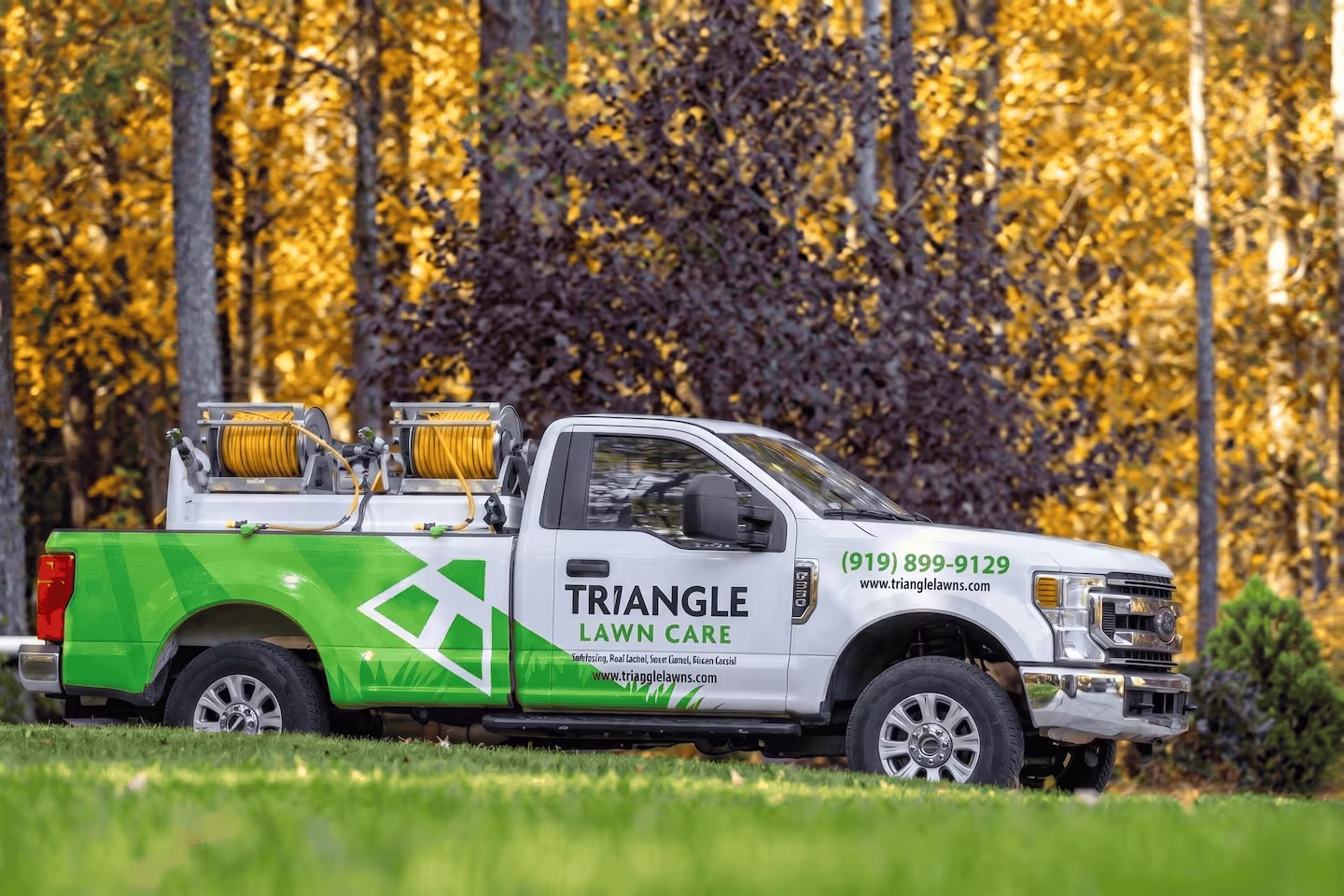
Ecanvasser’s real-time tracking completely transformed our field operations. Through the dashboard, we can plan efficient routes, customize interactions, and monitor our canvas stops in real time to support our team the second they need help. The "verified drops" feature adds an extra layer of accountability, while the reporting tools make it seamless to track hourly visit rates and optimize performance on the fly.




Scale your operations, empower your reps, and deliver predictable, profitable growth with Ecanvasser.
.svg)